By DMS Team | Updated 26 October 2026
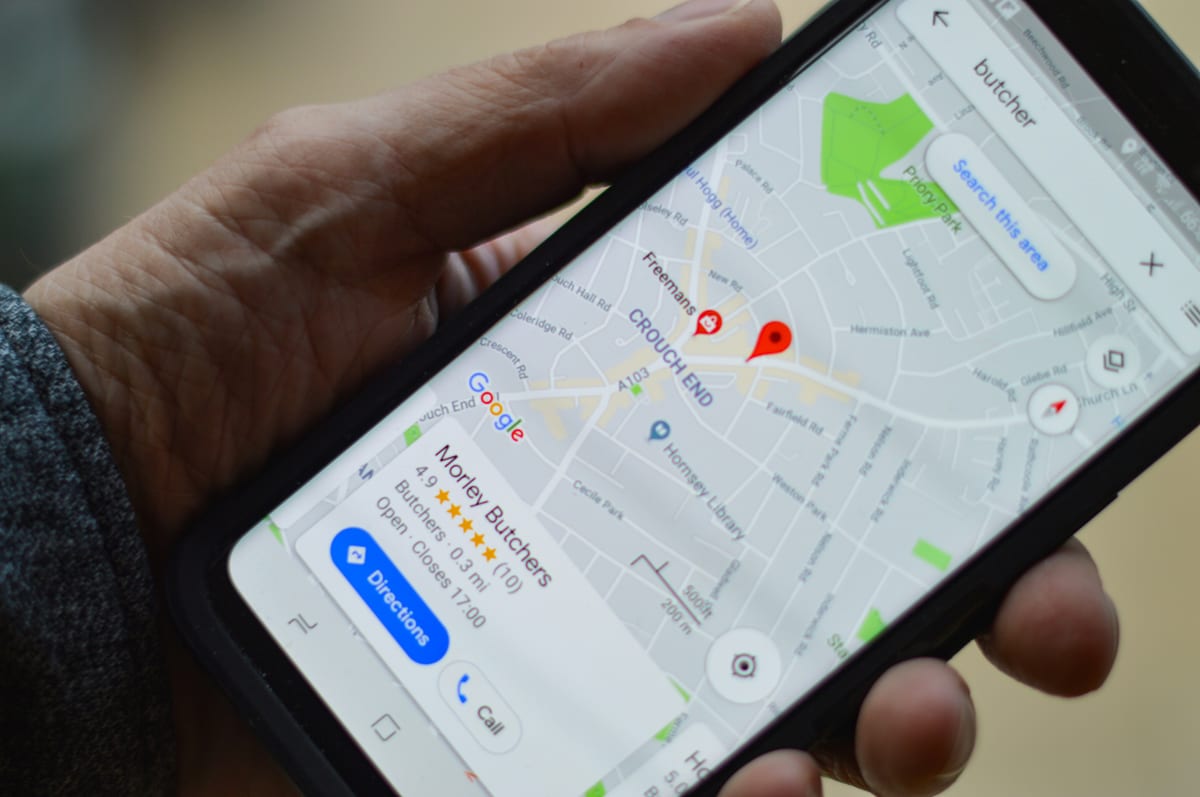
A Google Business Profile is a free listing that puts your business on Google Maps and in local search results. It shows your location or service area, hours, phone number, photos and reviews. If you serve customers in person anywhere in New Zealand, it's often the first thing they see, well before your website.
So here's a fair question. When someone nearby searches for what you do, does Google show them you, or the business down the road?
This guide covers how to set up a profile, how verification works now, and the six things worth fixing first.
What is a Google Business Profile?
A Google Business Profile (it used to be called Google My Business) is the free listing behind the map results in Google Search and Google Maps. You control the name, location, hours, contact details, photos and posts. Your customers add the reviews.
Search "cafe near me" or "plumber Hamilton" and Google shows a map with a short list of businesses under it, often called the local pack. Those listings come from Business Profiles. No profile, no place in that list.
Google picks which businesses to show using three things:
- Relevance: how well your profile matches what someone searched for
- Distance: how close you are to them, or to the place they typed
- Prominence: how well known you are, including your reviews and mentions elsewhere online
You can't move your shop closer to every customer. You can make your profile more relevant and more prominent, and that's what the rest of this guide is about.
Who can have a Google Business Profile?
Any business that meets its customers face to face. That covers shops, offices, clinics and studios people visit, and service-area businesses that go to their customers, like builders, cleaners and mobile dog groomers.
Online-only businesses can't have one. If you only sell through a website, your time is better spent on your site's SEO.
Work from home and travel to clients? Set up as a service-area business. You list the towns or regions you cover, and your home address stays private.
How do I set up a Google Business Profile in NZ?
Set-up takes about 15 minutes, plus verification. Have your business name, address or service area, phone number and website ready.
1. Go to business.google.com/add and sign in.
Use a Google account the business controls, not a staff member's personal account. People move on, and the profile shouldn't go with them.
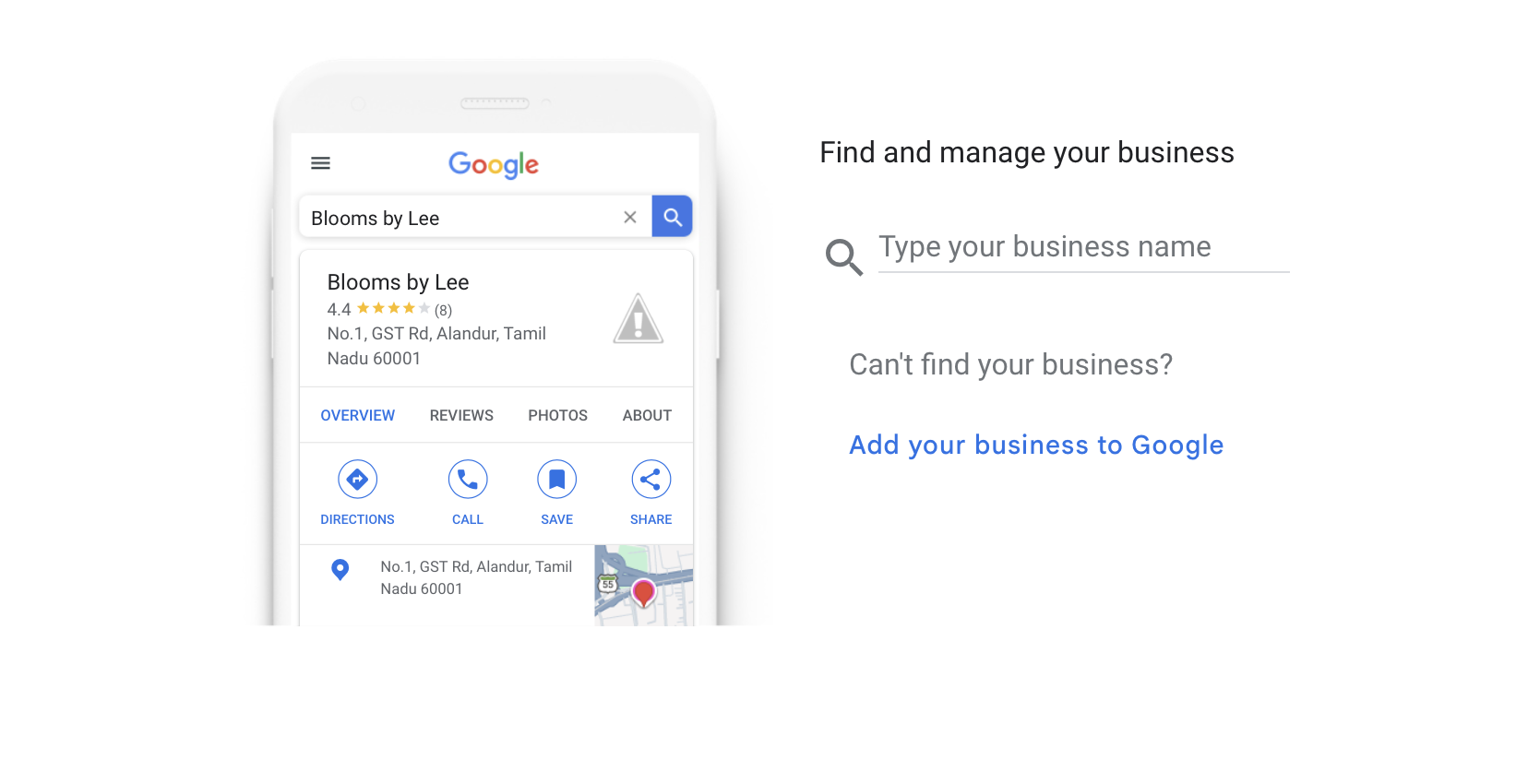
2. Type your business name.
If Google suggests an existing listing for your business, claim that one rather than creating a duplicate.
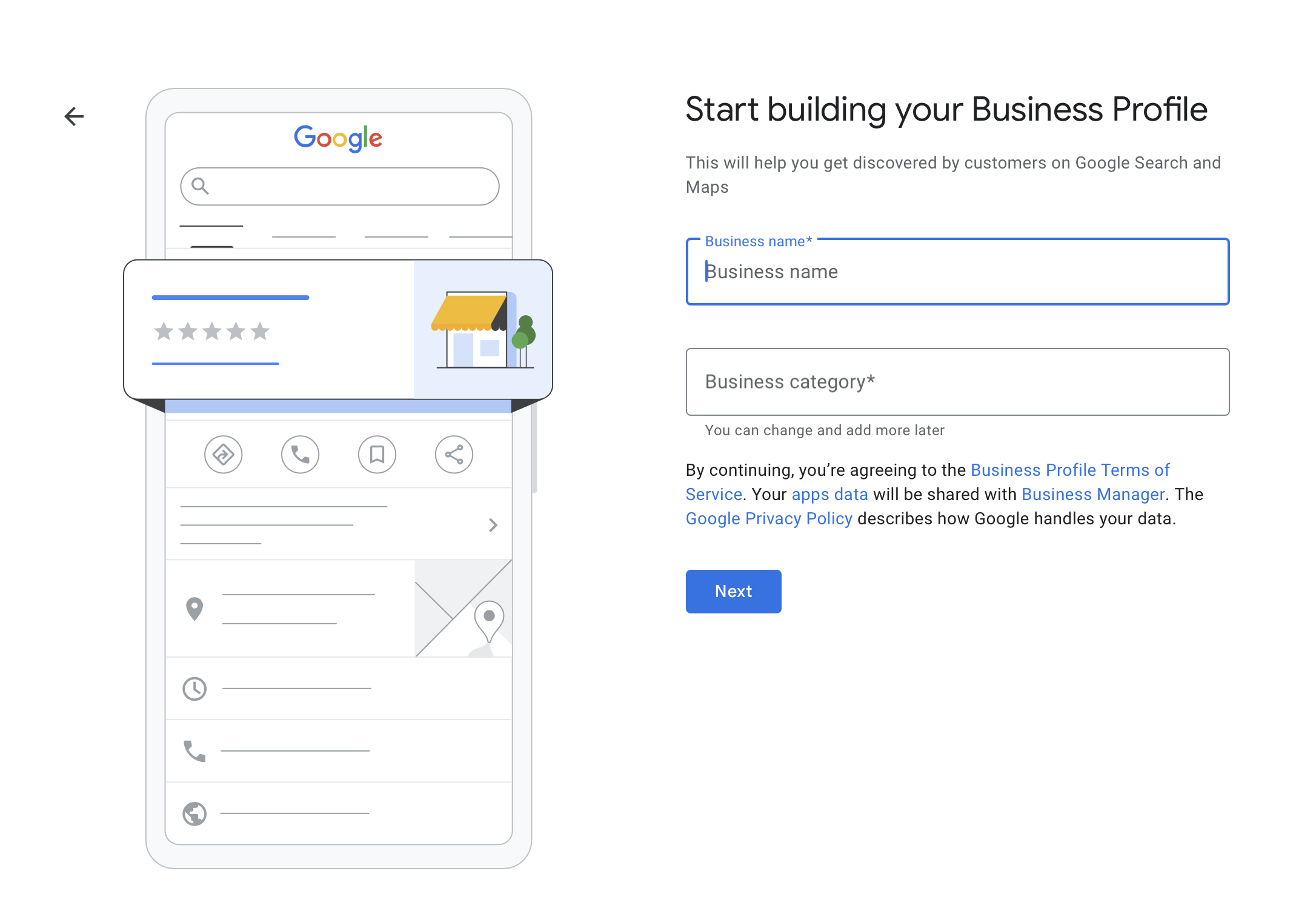
3. Choose your main category.
Be specific: "Physiotherapist", not "Health".
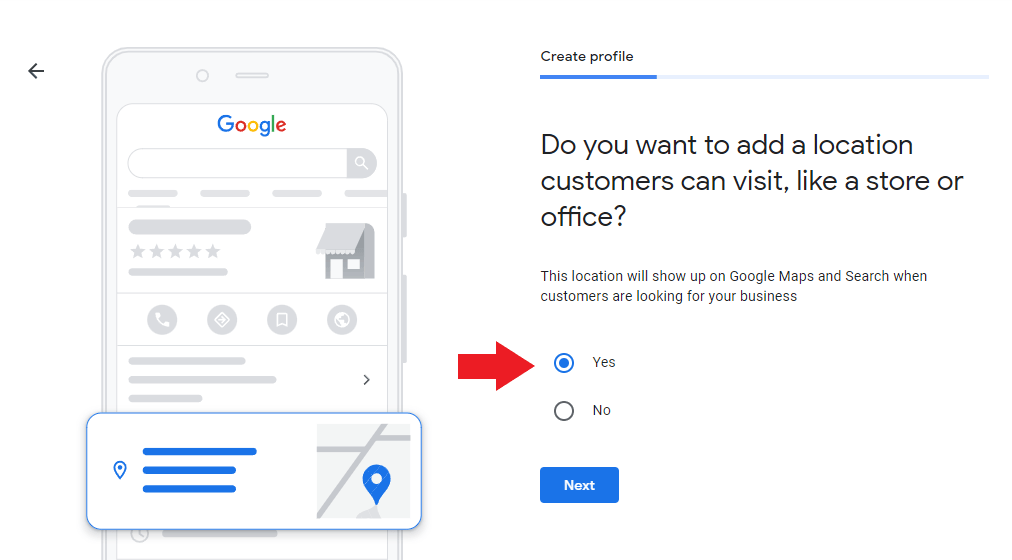
4. Say whether customers can visit you.
If they can, enter your street address. PO Boxes aren't accepted.
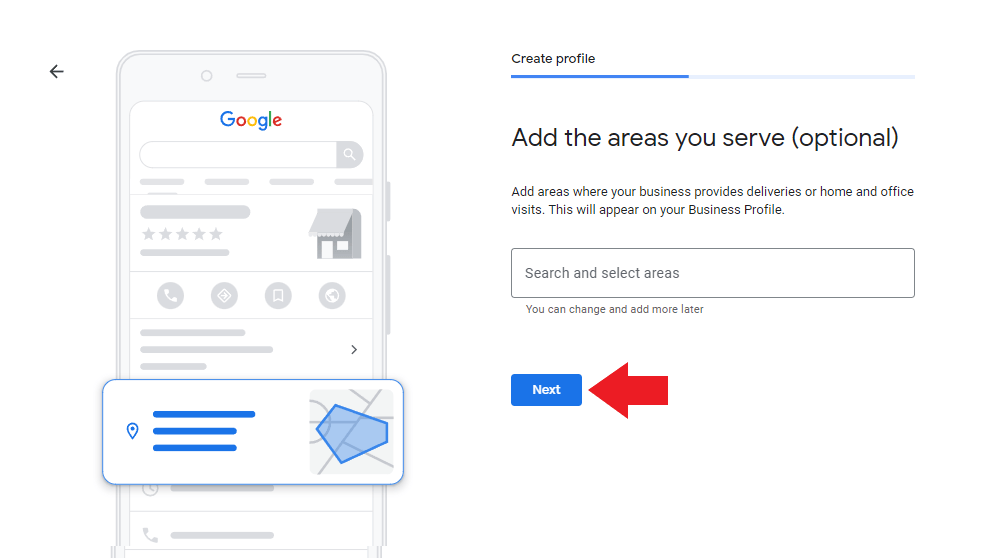
5. Add the areas you serve if you also travel to customers, or if you only work on site.
6. Add your phone number and website.
7. Pick a verification method and follow the steps (more on that below).
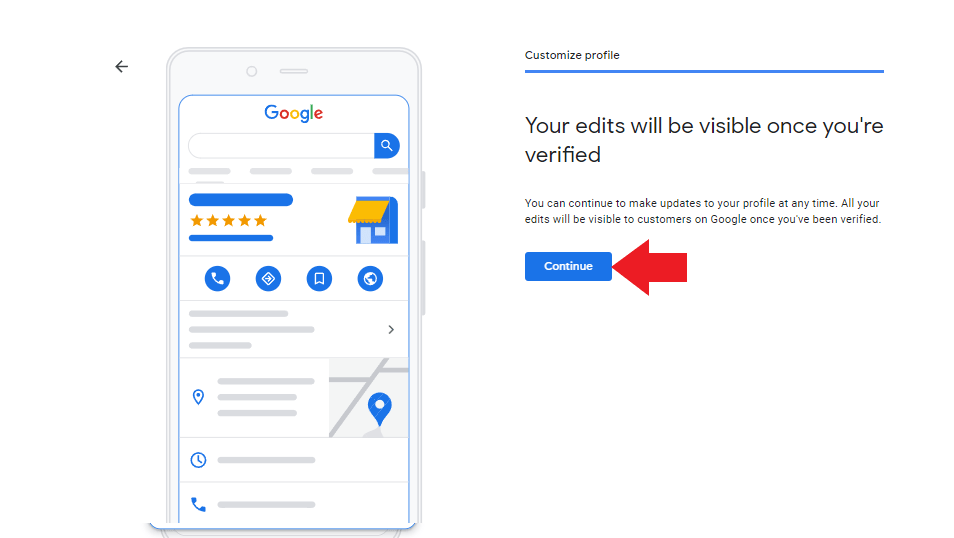
8. Once you're verified, finish the job: hours, description, photos, services or products, and attributes.
My business is already on Google Maps. What do I do?
If your business already shows on Google Maps but nobody has claimed it, claim it. Search for it in Google Maps, open the listing, then select "Claim this business" and "Manage now". If someone else has already verified it, such as a former staff member or an old agency, you can request ownership from them through the same screen.
How does Google Business Profile verification work?
Verification proves you own or manage the business. Google decides which options you're offered, so you won't always get a choice. The current options are:
- Phone or text: Google calls or texts a code to your business number.
- Email: Google sends steps to the email shown on screen.
- Video recording: you record a continuous video of at least 30 seconds on your phone, through the Business Profile app or Google Maps.
- Live video call: a Google support person checks your business with you on a video call, during your business hours.
- Postcard: Google posts a 5-digit code to your address. Most arrive within 14 days, and codes expire after 30.
Many businesses are now offered video instead of a postcard. Google wants the video to show three things:
- Where you are: your street sign, building number or nearby landmarks
- That the business exists: your business name on permanent signage, or for service-area businesses, your tools, equipment or branded vehicle
- That you run it: something only staff can do, like opening the till or a locked storeroom, or an invoice or utility bill in your business name
Record it in one take with no edits, and keep other people's faces, bank details and ID numbers out of shot.
Google says reviews take up to 5 business days. If a video is rejected, Google tells you what was missing so you can record it again.
What should I optimise on my Google Business Profile first?
Verification gets you listed. These six things decide how well the listing works.
1. Name, address and phone number
Use your real business name, exactly as it appears on your signage. Adding keywords or suburbs to it ("Smith Plumbing Best Plumber Auckland") breaks Google's rules and can get your profile suspended.
Then check your name, address and phone number match exactly everywhere: your website, Facebook, Instagram, and NZ directories like Yellow and Finda. When the details line up, Google can be confident they all belong to the same business.
2. Categories
Your primary category has the biggest say in which searches you show up for. Choose the most specific one that fits, then add a few secondary categories for the other things you do. A cafe that also caters might use "Cafe" as primary and "Caterer" as secondary.
3. Hours
Keep your hours right, including special hours for public holidays like Waitangi Day, Easter and Matariki. A customer who turns up to a locked door during your listed hours is likely to leave a review, and it won't be a good one.
4. Description, services and products
You get 750 characters to describe your business. Say what you do, who for and where, in plain words. Mention your main services and the towns you cover. Then list your services or products one by one, with short descriptions and prices where you can.
5. Photos
Add your logo, a cover photo and real photos of your premises, team and work. Skip the stock images; customers can tell. A clear shot of your shopfront also helps people find you on the street. Add new photos every month or two so the profile looks looked after.
6. Reviews
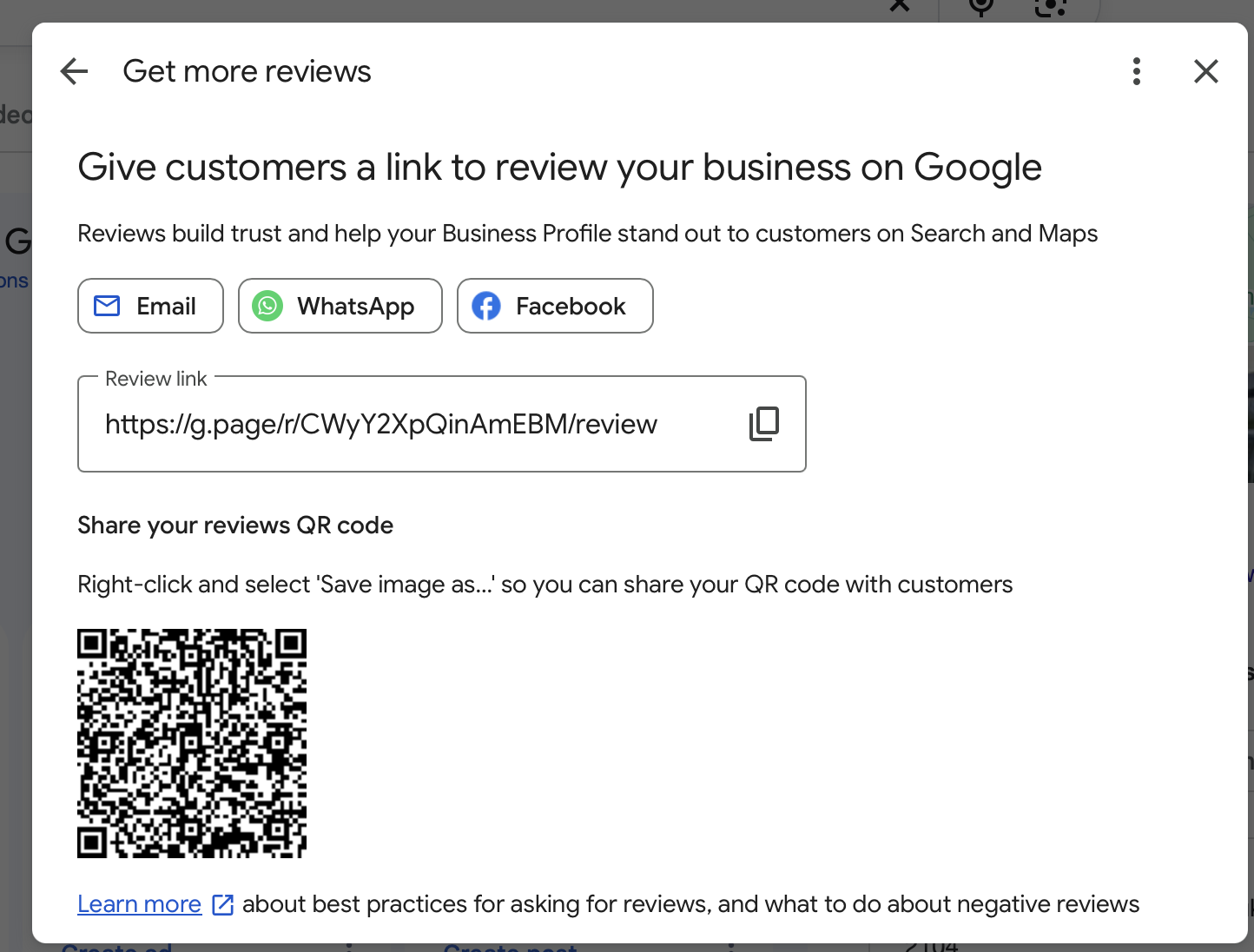
Reviews shape both your ranking and whether people choose you. So ask. Every happy customer, every time. In your profile, select "Ask for reviews" to get a short link or QR code you can text, email or print on a counter card.
Reply to every review, good or bad. With a negative one, stay calm, thank them and offer to sort it out offline. Future customers read your reply as closely as the review.
Our guide to dealing with negative reviews has more on this.
Don't offer discounts or freebies in exchange for reviews, and don't write your own. Both break Google's policies.
How do I keep my Google Business Profile working?
A profile isn't set and forget. Once a month or so:
- Post an update, offer or event. Posts appear on your profile and can link to your website.
- Reply to new reviews and questions.
- Check your hours, especially before public holidays.
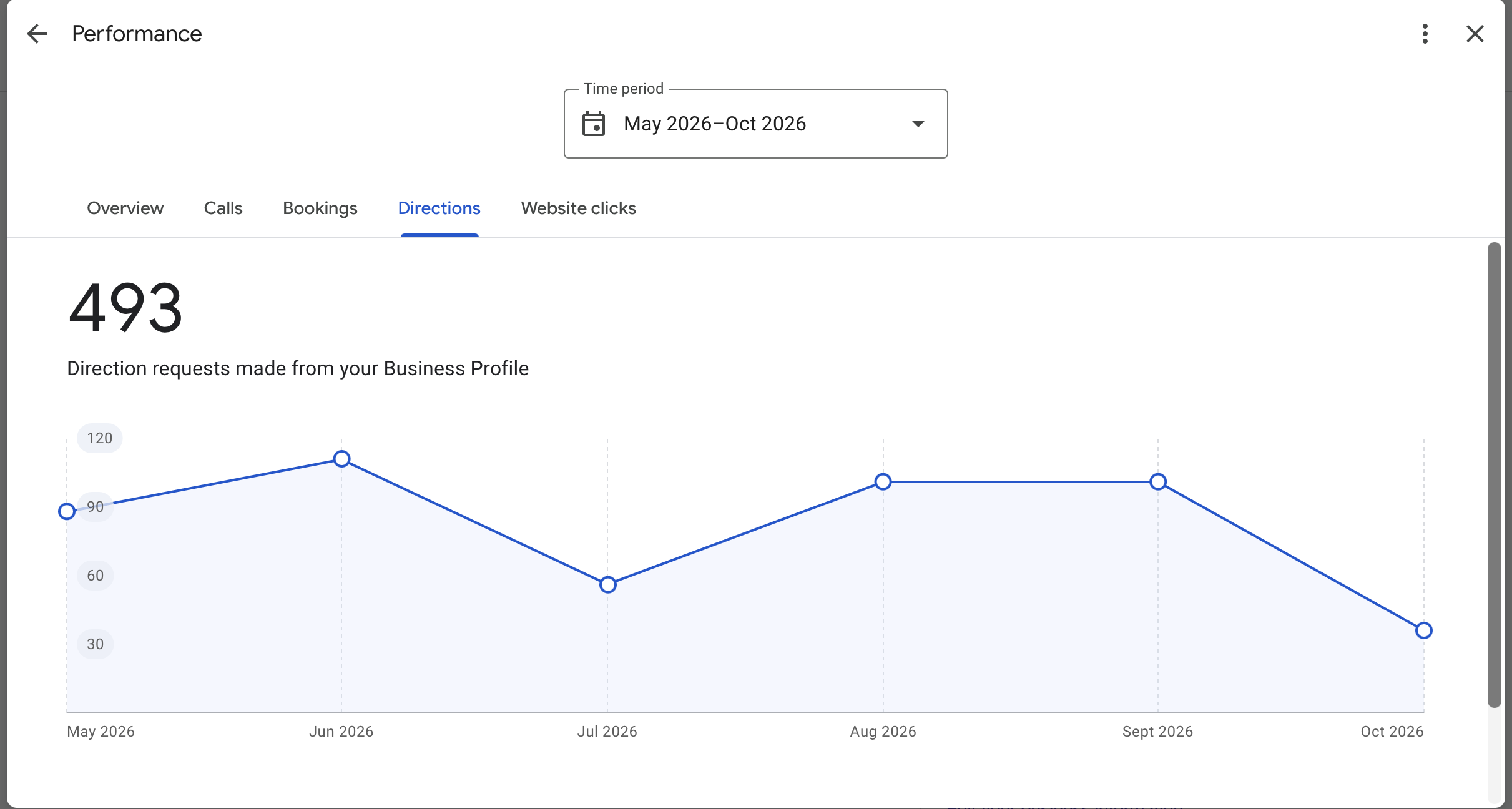
- Look at the Performance section. It shows how many people found you, called, asked for directions or clicked through to your website.
Want more ideas? Read our top tips to optimise your Google Business Profile.
Your profile is the start. Search strategy is the rest.
Want to understand local search properly?
A Google Business Profile is one piece of how people find you on Google. The rest is search strategy: knowing what people search for, why some pages rank and others don't, and where AI search fits in.
Our 7-week SEO Strategy micro-credential teaches that thinking in live online classes with a tutor, and it's accredited by NZQA. For the wider picture across search, social and paid, there's the Diploma in Digital Marketing.
Explore the SEO Strategy micro-credential
Want to talk through your options? Click the link below.
Is a Google Business Profile free?
Is a Google Business Profile free?
Yes. Creating, verifying and managing a Google Business Profile costs nothing. Google Ads are separate and optional.
How long does it take to show on Google Maps?
How long does it take to show on Google Maps?
Most profiles appear within a few days of verification. Google says verification reviews take up to 5 business days, and postcards can take up to 14 days to arrive.
Can I have a Google Business Profile without a shop?
Can I have a Google Business Profile without a shop?
Yes, if you travel to your customers. Set it up as a service-area business and list the areas you cover; your address stays hidden. Online-only businesses can't have a profile.
Why isn't my business showing on Google Maps?
Why isn't my business showing on Google Maps?
Usually one of three things: the profile isn't verified yet, the details don't meet Google's guidelines, or there's a duplicate listing. Check your profile for warnings, then search Google Maps for your business name to spot duplicates.
Is Google Business Profile the same as Google My Business?
Is Google Business Profile the same as Google My Business?
Yes. Google renamed Google My Business to Google Business Profile in 2021. Anything you read about Google My Business applies to Business Profiles.